Checking Pre-conditions
A precondition is a condition or state that must be true before a microflow, can be executed correctly. It is a fundamental concept in Design by Contract (DbC), a methodology where the developer defines formal, verifiable specifications for a component. The precondition acts as a "contract" with the calling function, stating: "I will work correctly, but only if you provide me with valid inputs that meet these conditions." This safe-guards the microflow for unintended use.
Preconditions serve two primary purposes:
- checking for validity
- checking for applicability
Understanding this distinction is key to implementing robust and efficient code
1. Checking for validity
When a precondition checks for validity, its purpose is to ensure that the microflow receives correct and expected inputs. The failure of this type of precondition indicates an error, such as a bug in the code or an unrecoverable system state.
1.1. Handling a Failed Validity Precondition
When a precondition fails, the system must handle the situation. The correct approach depends on the nature of the failure, but it generally falls into one of three categories:
1.1.1. Throw an Error
This is the most common and robust way to handle a failed precondition. You should throw an error when the failure represents a bug in the code or an unrecoverable system state. This immediately stops the microflow execution, preventing corrupted data or further issues. It signals that the microflow was called with invalid inputs, which is a developer's responsibility to fix.
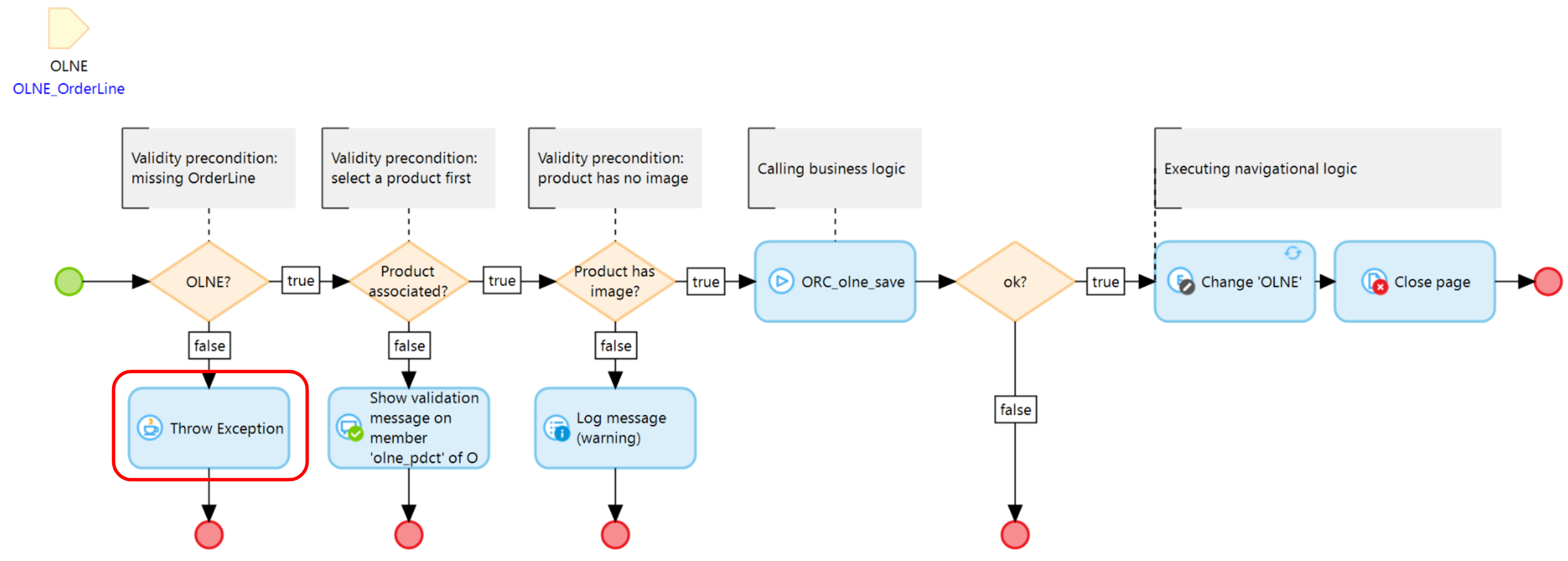
When an error is thrown, Mendix resets the in-memory object and rolls back its database state to the state it had before the microflow was invoked. However, the in-memory state after the rollback may not match the database state. For example, if a page modifies an object and the microflow subsequently throws an error, the page’s changes remain in memory even though they are not persisted in the database.
Often, throwing an error should be accompanied by logging an Error. If so, make sure you log an error in a separate transaction otherwise the created log is also rollbacked by the unhandled exception.
1.1.2. Show Validation Feedback
This method is used when a precondition fails due to incorrect user input. Rather than causing the application to crash, the system provides clear, immediate feedback to the user, explaining what needs to be corrected. This approach offers a user-friendly way to guide the user toward a successful outcome without triggering a system error. The object state in memory and in the database remains unaffected. Validation feedback preconditions are typically implemented in action (ACT) microflow typologies.
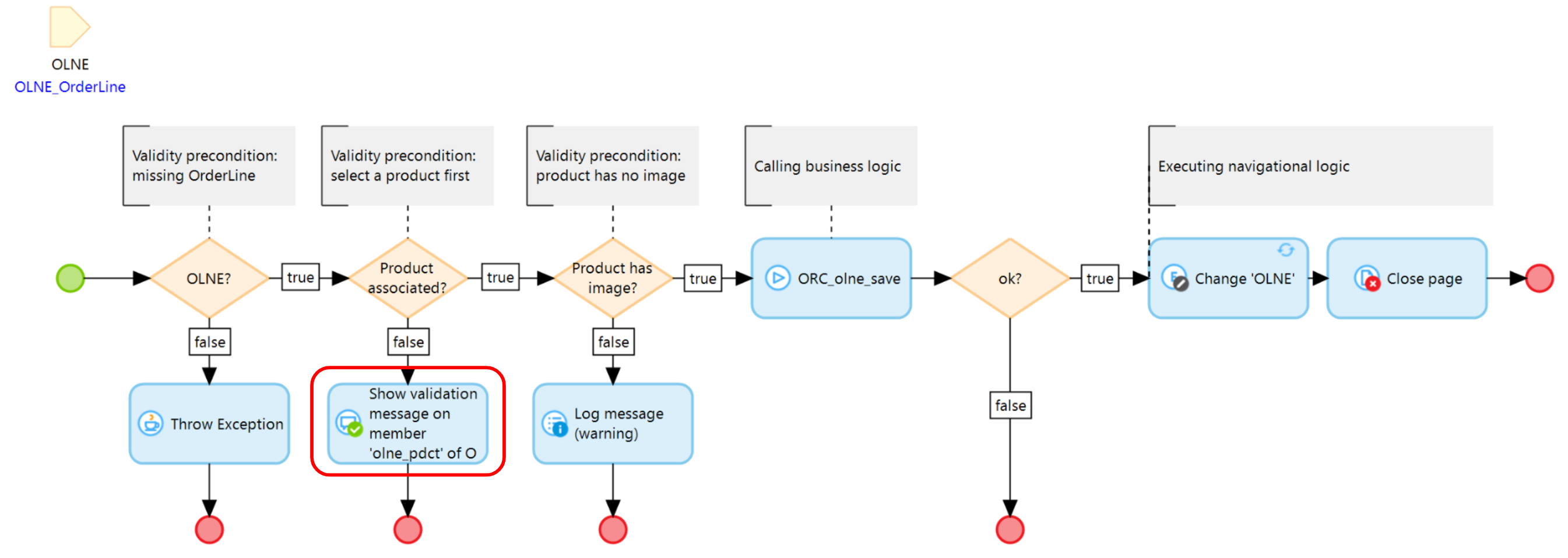
1.1.3. Log an Error
This approach is appropriate for non-critical issues that do not require the application to stop. It allows developers to monitor and address problems in the background. The object state in memory and in the database remains unchanged, so all actions performed by the microflow are preserved.
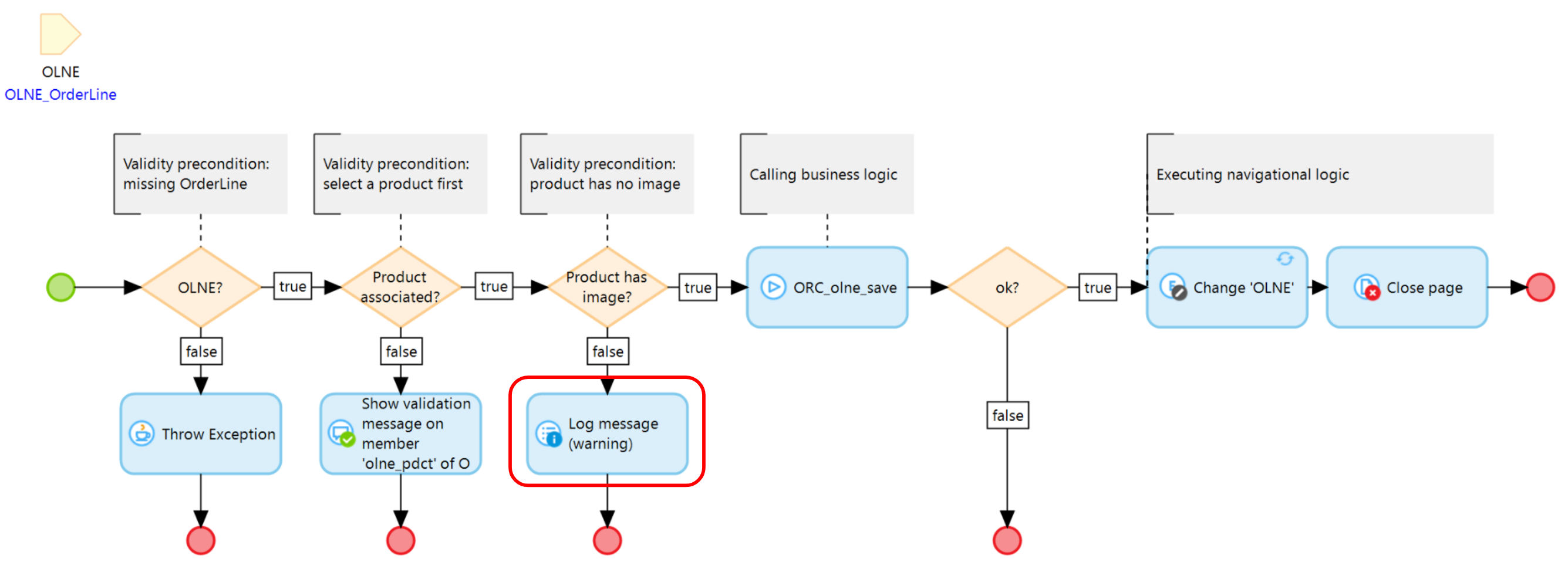
2. Checking for applicability
An applicability precondition determines whether a microflow is relevant in a given situation. It acts as a gatekeeper for optional logic, ensuring that certain processing is executed only when appropriate. This centralizes decision-making, keeps the code cleaner, and prevents the calling microflow from repeatedly checking the same condition.
When a microflow is not applicable, it can be terminated using a silent exit. A silent exit ends the microflow without generating an error, log, or message, allowing the system to continue normally.
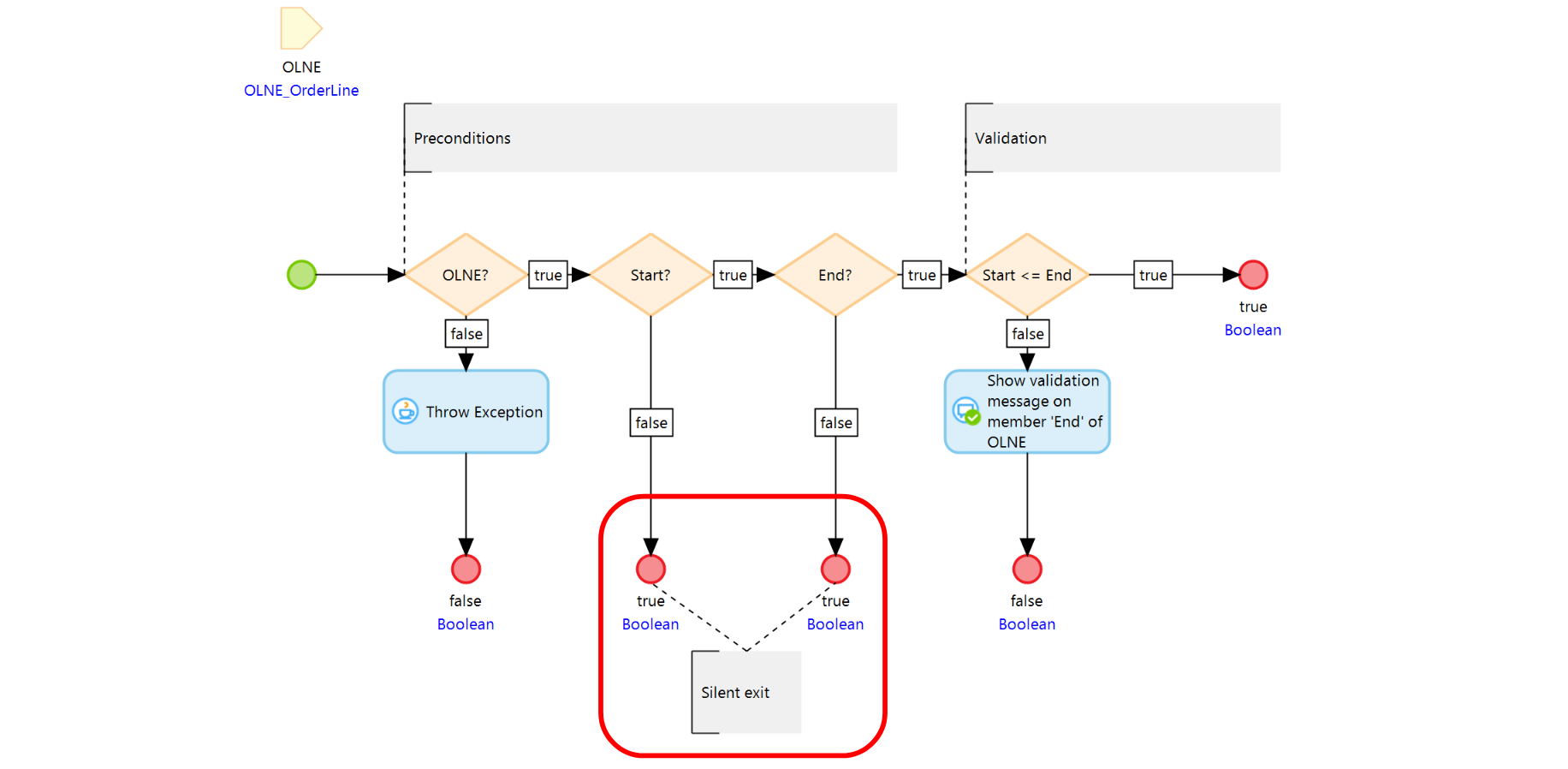
2.1 Why use silent exits:
- Maintains clean and efficient code by handling applicability in one place.
- Prevents unnecessary errors, logs, or user messages for non-critical conditions.
- Ensures predictable system behavior when optional logic does not apply.
2.2 When to use silent exits:
- In validation (VAL) microflows, to skip checks that are not relevant.
- Example: A validation ensuring the start date is before the end date can be skipped if either date is missing, since missing values are already covered by mandatory attribute rules.
- In optional logic, where a microflow applies only under certain conditions.
- Example: A microflow calculating a discount for gold-member customers exits silently if the customer is not a gold member.
Silent exits provide a simple, user-friendly way to handle inapplicable microflows while preserving system state and improving overall efficiency.